
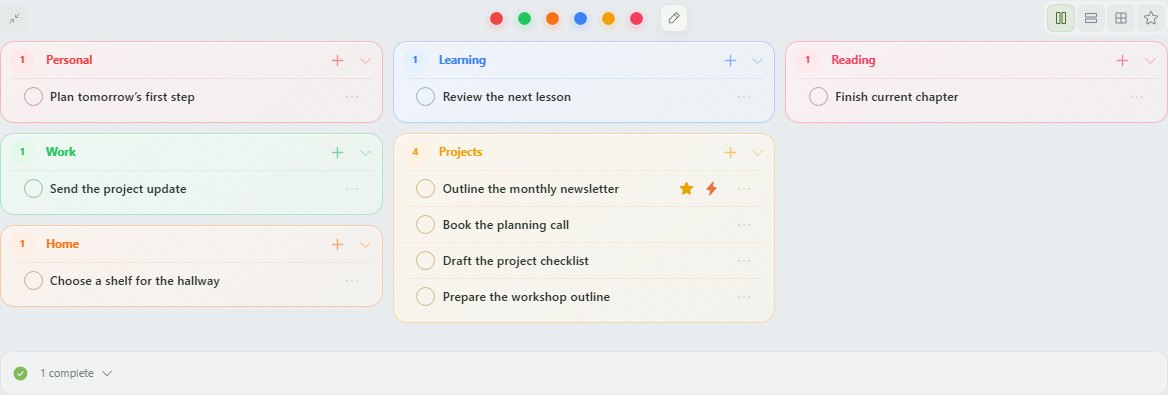
Capturing a task is useful, but a growing inbox can become another place to avoid. MossyMind connects the rest of the path: categories show where a task belongs, dates show when it deserves attention, optional priorities help you choose, and the focus timer can attach to the task you decide to start.
One doorway for loose thoughts
The capture dock stays attached to the daily desk. Type the task in ordinary language, choose a category if you know it, and add it to Today. You can move or edit it later. The first job is to stop relying on working memory.
Categories should answer a retrieval question
Use categories such as Work, Home, Personal, or a real project name—whatever tells you where you will look later. Colors provide a second quiet cue. A task can also remain in No group when classification would add friction without value.
Today is a working view, not a guilt archive
Unfinished tasks carry forward automatically. Future work waits on its scheduled day. Completed tasks clear from the active board and can be reopened. Deletion includes a short undo window so cleaning up the desk does not become a data-loss trap.
Choose only when choosing helps
Importance and urgency are optional and hidden by default. Turn them on when the list needs a decision. Leave them alone when categories and dates already make the next task obvious.
Capture and organize one task
- Use the bottom capture dock and write the task in ordinary language.
- Choose a category only when it will help you find the task again.
- Keep it in Today or give future work its actual date.
- Open the task menu to edit details, attach focus, reschedule, complete, or delete.
- Let unfinished work carry forward; clean up the wording when you return.
Research behind this guide
This research explains the ADHD-related challenges discussed here. It does not prove that MossyMind changes ADHD symptoms.
- CDC — ADHD in Adults
Current overview of adult ADHD and common difficulties with attention, lengthy tasks, and organization.
- Alderson et al. — Adult ADHD and working memory meta-analysis
Meta-analysis of 38 studies comparing working-memory performance in adults with and without ADHD.